# yum
添加 repo 文件
vim /etc/yum.repos.d/nginx.repo
[nginx]
name=nginx repo
baseurl=http://nginx.org/packages/OS/OSRELEASE/$basearch/
gpgcheck=0
enabled=1
安装
yum install nginx
验证
nginx -v
# apt
Nginx Stable PPA 是由 Ubuntu 社区维护的源,本源更新自稳定版分支,是 Kaijia 目前使用的源,这个源的特点是文件的目录结构和 Ubuntu 自带的 Nginx 相同,因此安装这个版本时不需要修改/etc/nginx/下面的配置文件。
不过这个源更新比较慢,一般 Nginx 新版本发布后要过一至两周才会更新,但质量是保证的。
安装此源只需要在终端中运行:
apt-add-repository ppa:nginx/stable
然后即可安装 Nginx:
apt-get update
apt-get install nginx
用以上信息安装完后 nginx 并不能解析 php 了,需要加入
fastcgi_param SCRIPT_FILENAME $document_root$fastcgi_script_name;
# 源码编译安装
# 1.下载 nginx 源码
http://nginx.org/download/nginx-1.14.0.tar.gz (opens new window)
# 2.下载 fancyindex
git clone https://github.com/aperezdc/ngx-fancyindex.git ngx-fancyindex
# 3.下载主题
git clone https://github.com/lanffy/Nginx-Fancyindex-Theme.git
# 4.编译安装
./configure --prefix=/usr/local/Cellar/nginx/1.12.2_1 \
            --with-http_ssl_module --with-pcre \
            --sbin-path=/usr/local/Cellar/nginx/1.12.2_1/bin/nginx \
            --with-cc-opt='-I/usr/local/opt/pcre/include -I/usr/local/opt/openssl/include' \
            --with-ld-opt='-L/usr/local/opt/pcre/lib -L/usr/local/opt/openssl/lib' \
            --conf-path=/usr/local/etc/nginx/nginx.conf \
            --pid-path=/usr/local/var/run/nginx.pid \
            --lock-path=/usr/local/var/run/nginx.lock \
            --http-client-body-temp-path=/usr/local/var/run/nginx/client_body_temp \
            --http-proxy-temp-path=/usr/local/var/run/nginx/proxy_temp \
            --http-fastcgi-temp-path=/usr/local/var/run/nginx/fastcgi_temp \
            --http-uwsgi-temp-path=/usr/local/var/run/nginx/uwsgi_temp \
            --http-scgi-temp-path=/usr/local/var/run/nginx/scgi_temp \
            --http-log-path=/usr/local/var/log/nginx/access.log \
            --error-log-path=/usr/local/var/log/nginx/error.log \
            --with-http_gzip_static_module \
            --with-http_v2_module \
            --add-module=../ngx-fancyindex \
            --with-http_addition_module
make
全新安装需要make install.
已经安装好 nginx 的不需要make install,到 make 中生成 objs 目录中执行2>&1 ./nginx -V | tr ' ' '\n'|grep fan查看fancyindex是否配置成功.
然后覆盖原有的nginx即可.
# 5.配置
- nginx 配置
location /download{
    include /usr/local/Cellar/nginx/1.12.2_1/html/Nginx-Fancyindex-Theme/fancyindex.conf; # 目录美化配置
    alias /Users/mac-desktop/video/; #指定目录所在路径
    autoindex on; #开启目录浏览
    autoindex_format html; #以html风格将目录展示在浏览器中
    autoindex_exact_size off; #切换为 off 后,以可读的方式显示文件大小,单位为 KB、MB 或者 GB
    autoindex_localtime on; #以服务器的文件时间作为显示的时间
    charset utf-8,gbk; #展示中文文件名
}
- 主题位置
将主题文件夹整个移动到 nginx 的 html 目录中去.
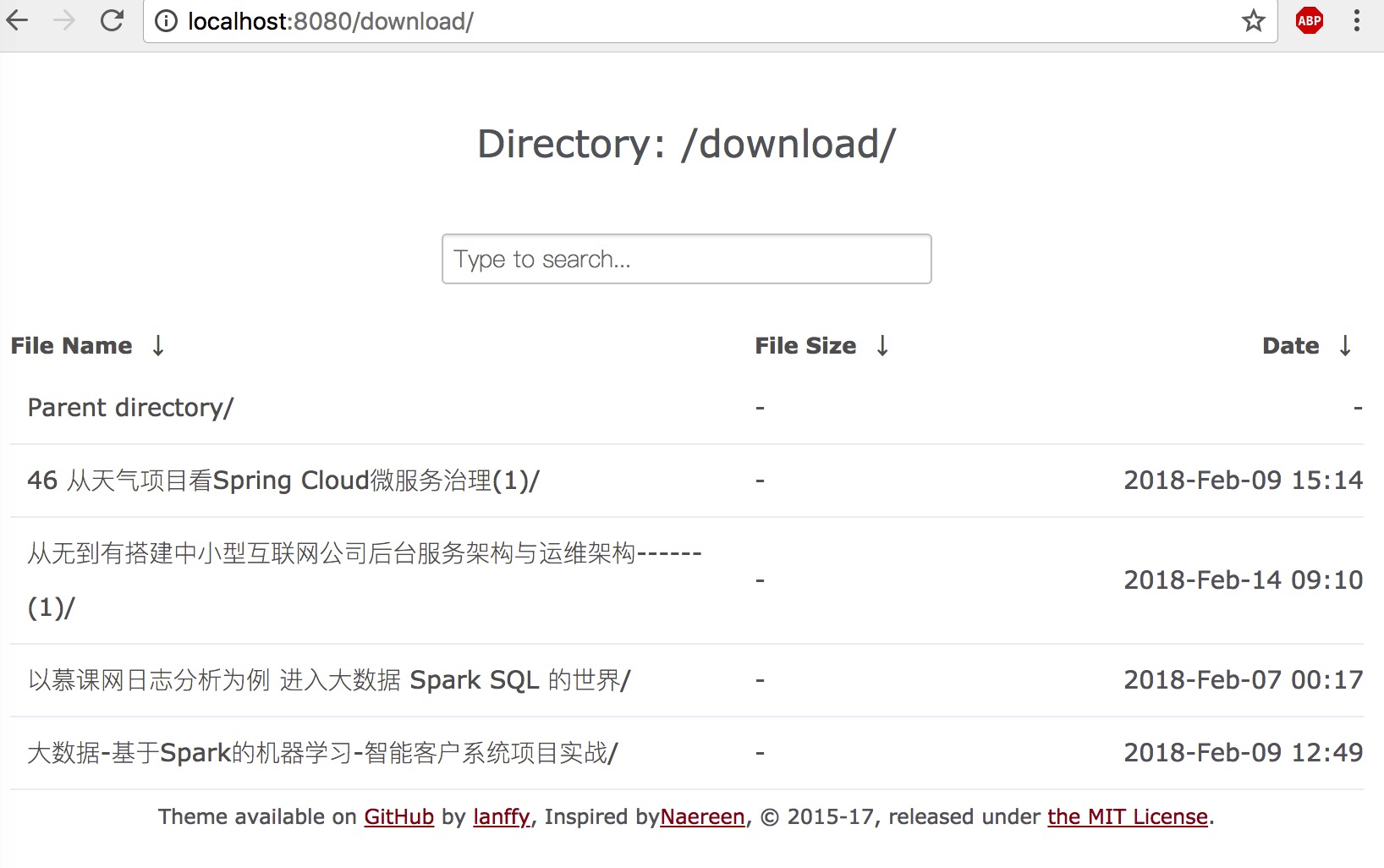
# 6.截图